Article/Tutorial |
Step by Step ABAP Dialog Programming |
Description |
Step by step learning create interactive menu and report using ABAP Dialog Programming. |
Support |
Screen Form in ABAP can be create using "Screen Painter" and only available in SAP GUI for Windows, not in PlatinGUI/ GUI Java. Make sure the component of "Screen Painter" is selected when you installed SAP GUI.
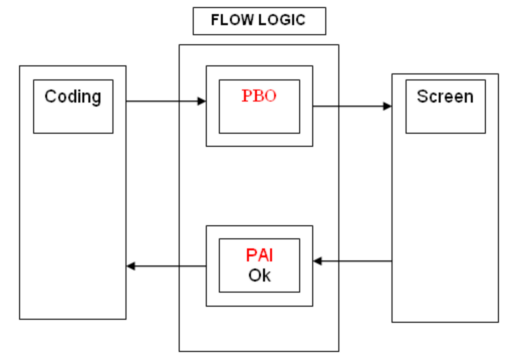
Between Coding and screen is connected by flow logic. In flow logic contains to event, which is PBO (Proses Before Output) and PAI (Proses Befor Input).
PBO is same with OnShow event at another programing languange.
PAI is same with OnClick or OnEnter event at another programing languange.
Screen Painter has 11 element/component that can be used for creating a screen. (start to create a simple dialog)