Objective |
Class Exits |
Transaction code |
SE18 - Business Add-Ins : Initial Definition Maintenance Screen |
Support |
1. Open t-Code SE18
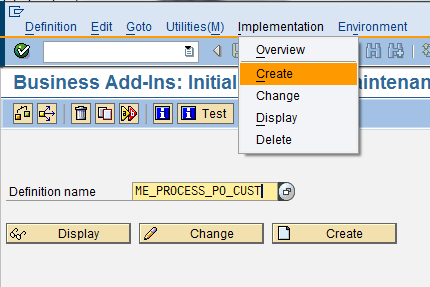
2. Insert "ME_PROCESS_PO_CUST"
3. Click "Implementation -> Create" and insert "ZPO_01"
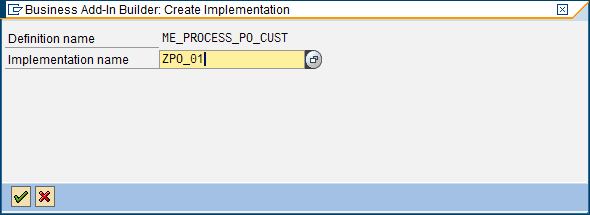
4. Click "Cek/Continue"
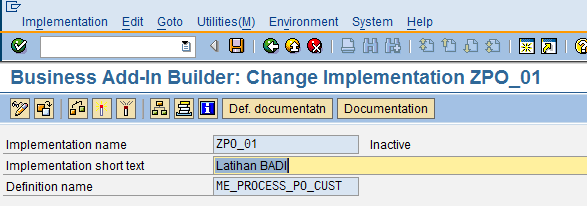
5. Insert short text "Latihan BADI" and Click "Save"
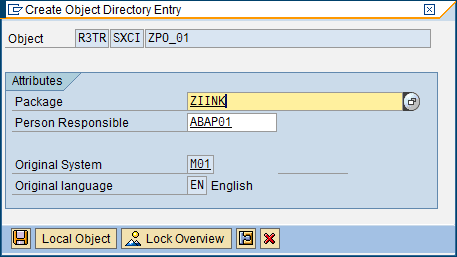
*Disimpan di package jika ingin di transport
6. Click tab "Interface"

7. Double klik "ZCL_IM_PO_01"
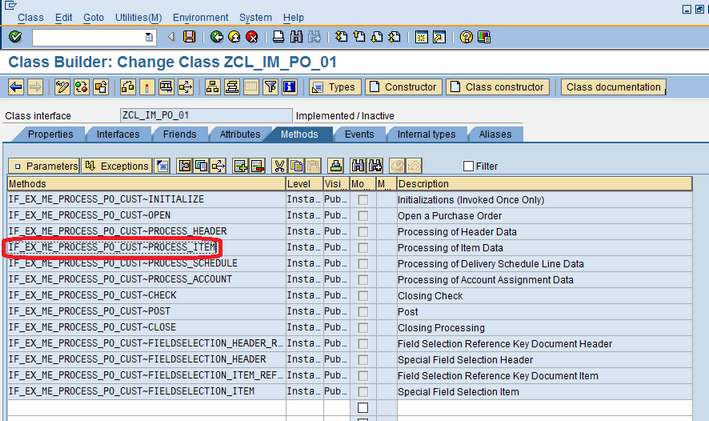
8. Double klik "IF_EX_ME_PROCESS_PO_CUST~PROCESS_ITEM" jika ingin menambahkan syntax pada saat memprocess Line Item PO.
9. Insert simple syntax as below

10. Click "Activate"
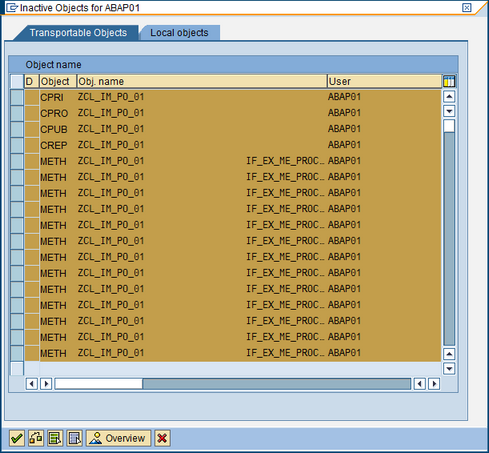
11. Click 'Check/Continue"
12. Click "Back" until the Screen as below
13. Click "Activate"
14. Open t-Code "ME21N" and then fill values that needed for create PO

15. After input value at Line ITEM, press the button "Enter" directly.
16. If error message appear as bellow then BADI has been successfully posted in t-Code "ME21N".
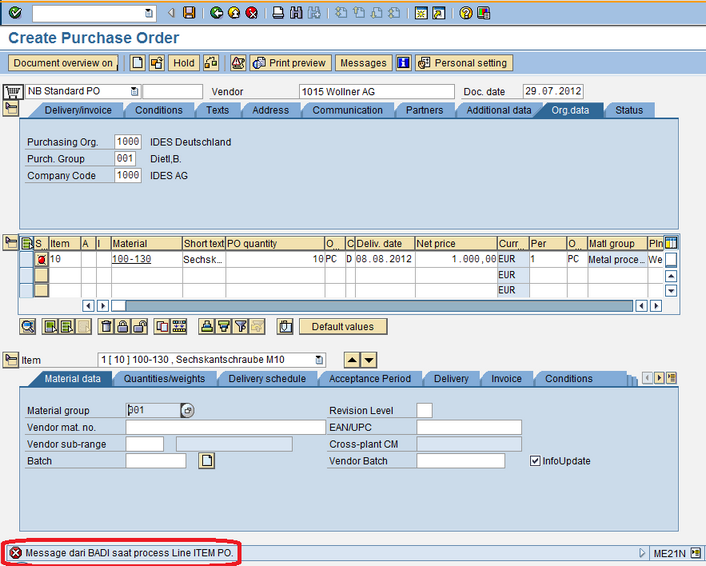
17. Finish.