Objective |
Enhance Table/Structure |
Transaction code |
|
Support |
|
Here will be exemplified how to add a field to a Table (Applies to the stucture too), example use of the table is "SFLIGHT18".
1. Open t-Code SE11
2. Insert Database Table Name that we want to enhance

3. Click "Append Stucture" and input that Name of append

4. Add one field with name "EDITEDBY" , with Component type "CHAR20"

5. Activate Append Structure
6. Then press the button "BACK", the result will be as below :
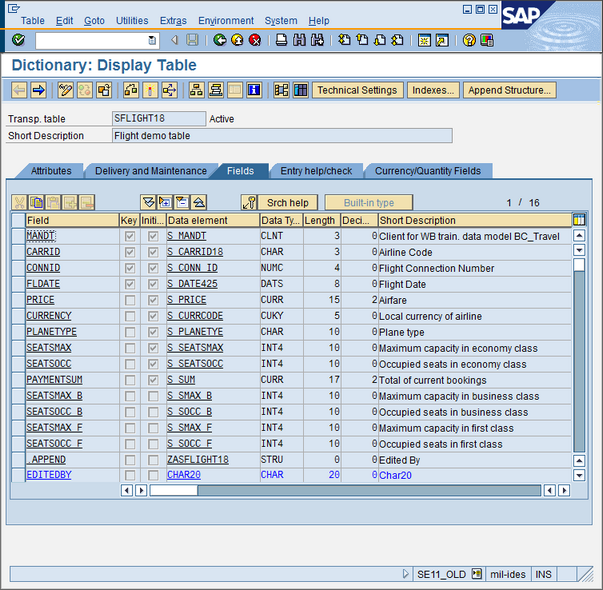
7. Check Database Object to ensure that field "EDITEDBY" has been perfectly formed


8. Finish
Notes : Do not forget to make backups of the database as a precaution if the table that we enhance becomes corrupted