Create three custom tables using transaction SE11 :
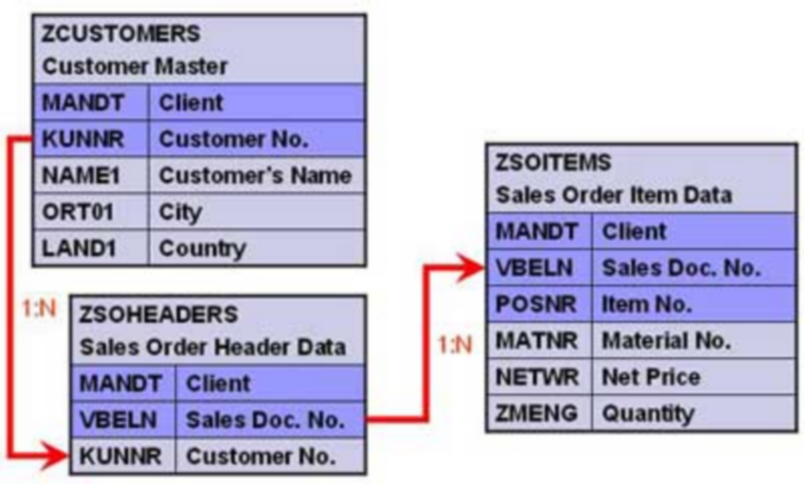
DDIC Tables for IDoc
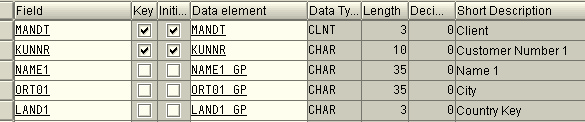
ZCustomers table :
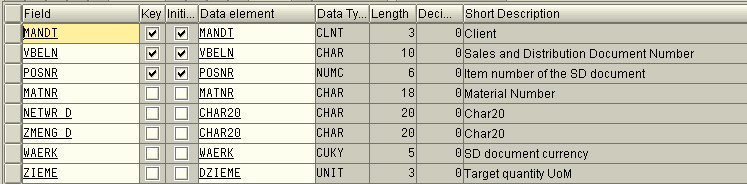
ZSOHeaders table :

ZSOItems table :
Creating Custom IDOC type and Message type :
All the objects created should be present on both source as well as target system(s).
1. Create Segments - Transaction WE31
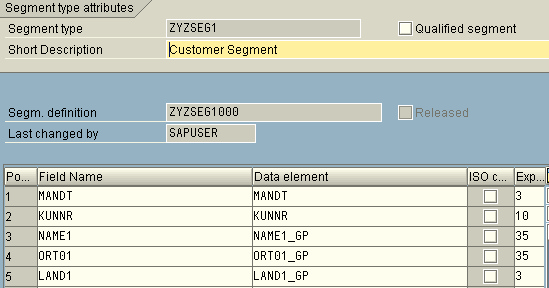
•Create a segment ZYZSEG1
•Add all fields of table ZCustomers to it.
 |
•Save the segment
•Click Back.
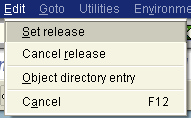
•Release it using the menu path Edit -> Set Release
 |
•Similarly create two more segments given below
•Seg. ZYZSEG2 - to hold all fields of table ZSOHeaders
•Seg. ZYZSEG3 - to hold all fields of table ZSOItems
2. Create Basic Idoc Types - Transaction WE30
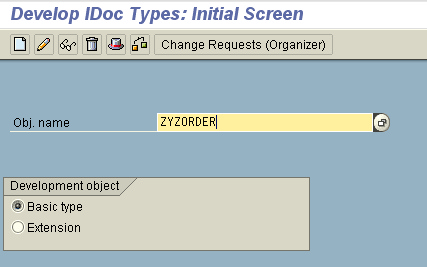
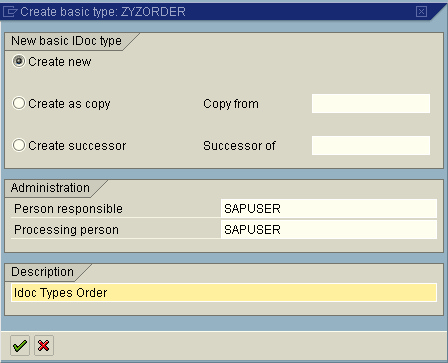
•Create a basic type ZYZORDER
 |
•Add the created segments in the hierarchy shown
 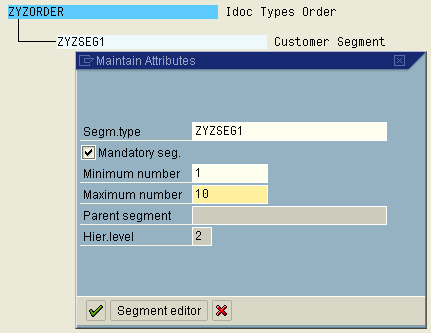 |
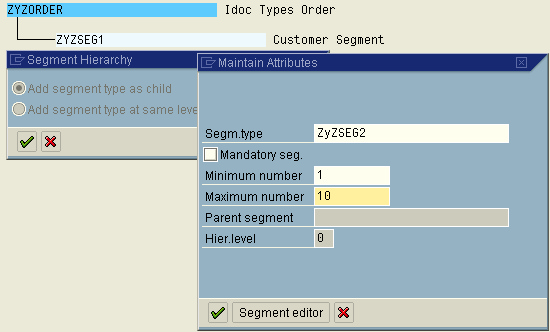
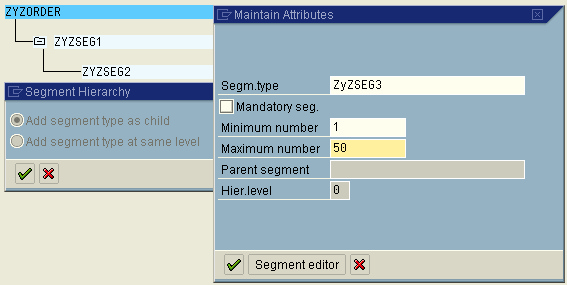
•Maintain attributes for each of the segments
•Save the object and go back
•Release the object using the menu path Edit -> Set Release
|
3. Create/Assign Message type – Transactions WE81/WE82
•Go to WE81
•Create a new Message type ZYZSO_MT
•Save the object
•Go to WE82 and create new entry
•Assign the message type ZYZSO_MT to the basic type ZYZORDER
•Also specify the Release Version
 |
•Save the object