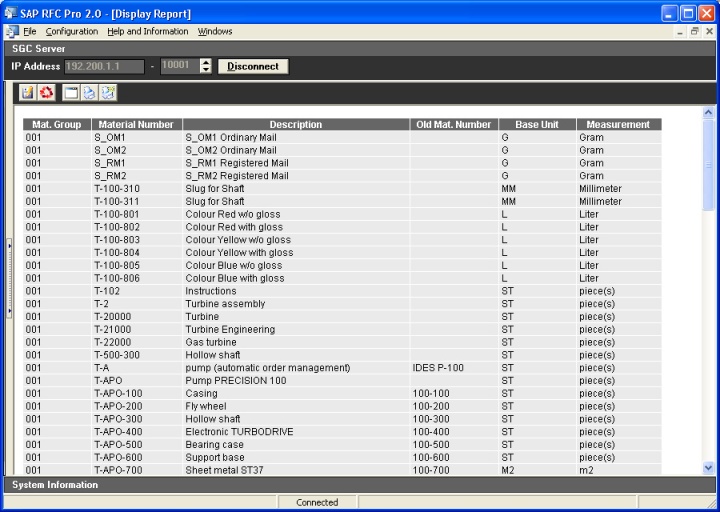
Objective |
|
Transaction Code |
MM03 - Display Material |
Tables |
MARA - General Material Data MAKT - Material Descriptions T006A - Assign Internal to Language-Dependent Unit |
External Application |
|
Support |
|
1.Create Report (401) first before continue to step no. 2
2.Right click on " " node
3.Click "Customize Form"
4.Click " "
"
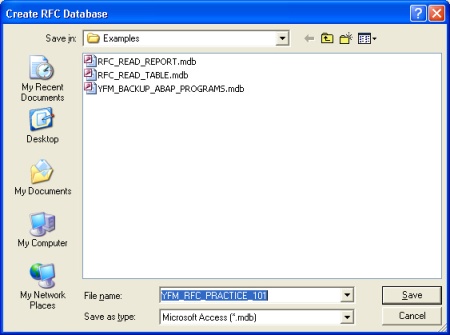
5.Select RFC Database file destination dan Filename
For Example : Filename = "YFM_RFC_PRACTICE_101.mdb"
6.Click " "
"
7.Click " " to set the RFC Database filename on "Output Configuration"
8.Select RFC Database Filename
For Example : Filename = "YFM_RFC_PRACTICE_101.mdb"
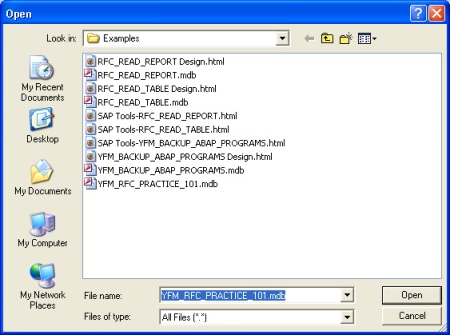
9.Click " "
"
10.Others, Customize the Form like this bellow
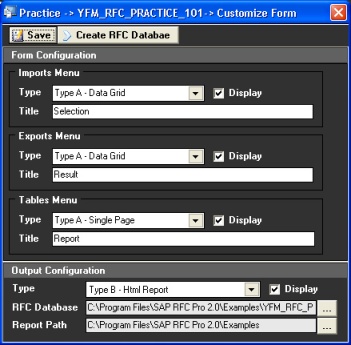
11.Click " " and close then Customize Form
12.Right click on "" node
13.Click "Design Output"
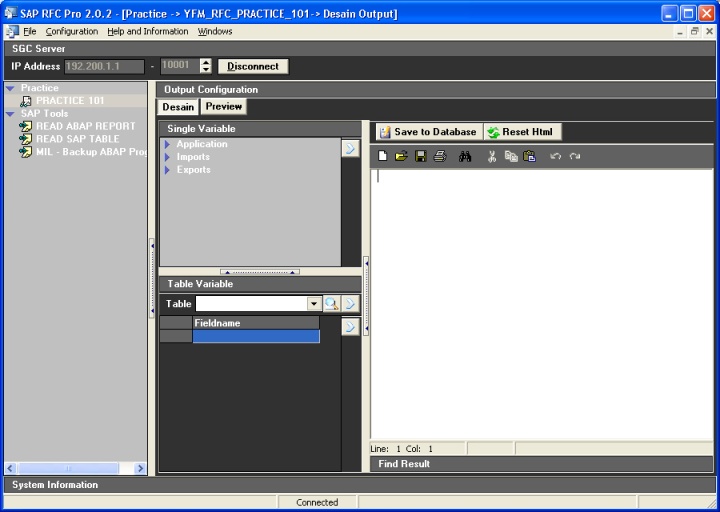
14.Click " "
"
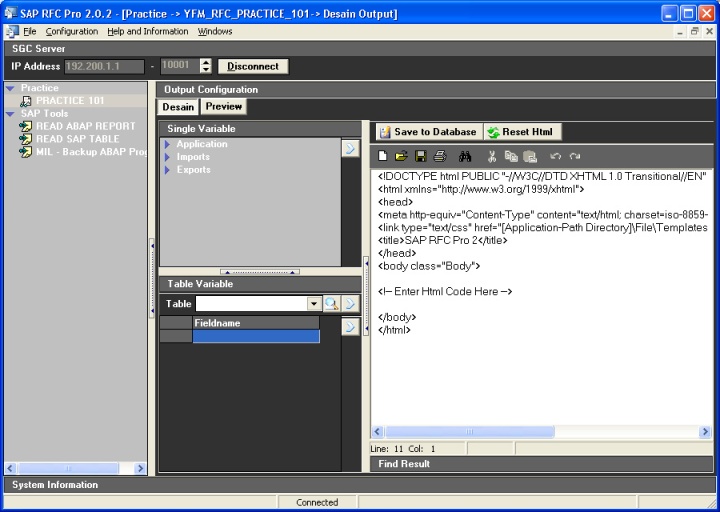
15.Place the cursor bellow text of "<!-- Enter Html Code Here -->", after that Select table " "
"
16.Click " " to generate html code for the selected table
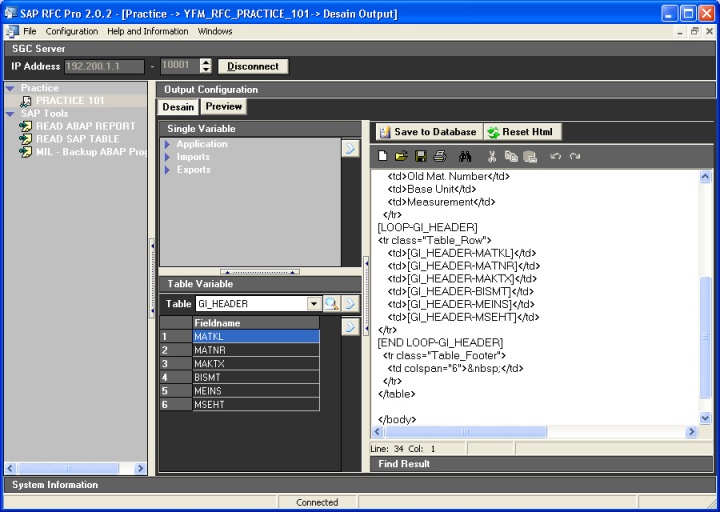
17.Click " "
"
18.Double click "" node to Open the Form
19.Click " " to get data from SAP
20.Finished
▪Input Selection
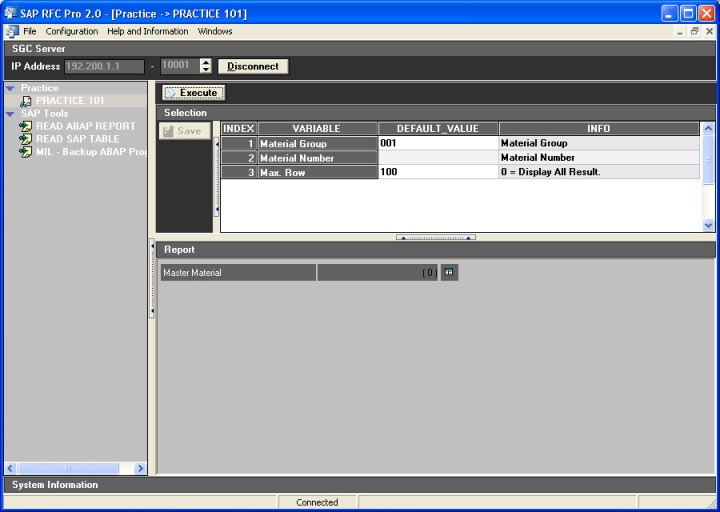
▪Output