View is a part of Complex Types with global type tables with content of colaborate of tables. Beside that, it can be reference data type in all ABAP Program.
Steps to make Table
1. Open t-code SE11
2. Activate Radio Button 
3. Insert Structure name, initiate with letter Z or Y

4. Click Button 
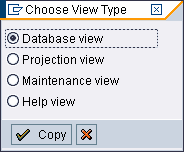
5. Choose Database view, then Click Button 
6. Fill Short Description.
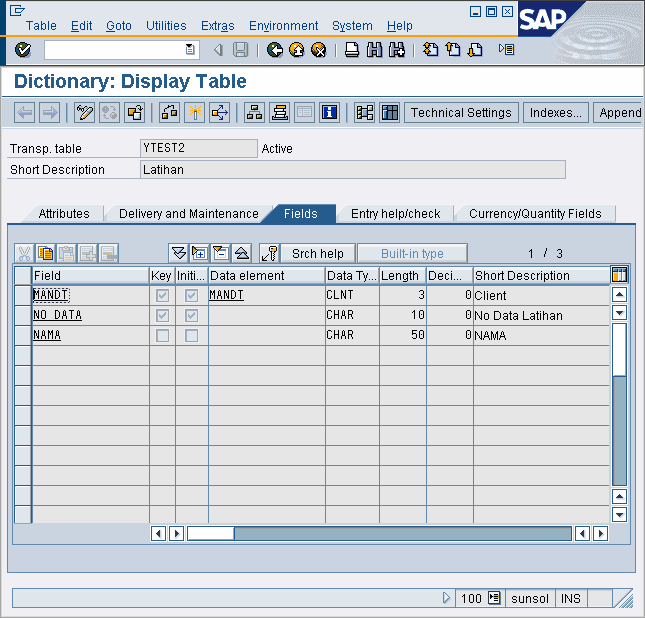
Important : Source are table with name's YTEST and YTEST2. Make table YTEST2 if it's not already available yet, like picture below.
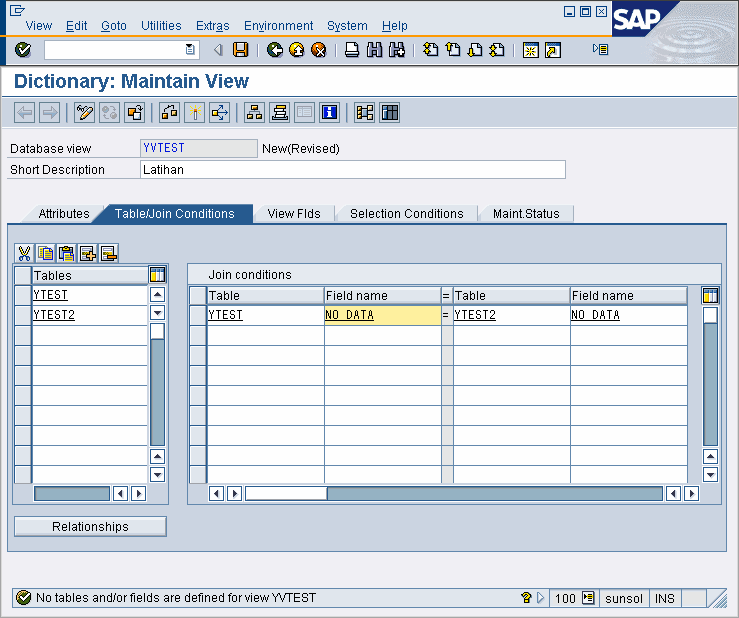
7. Join two table with name YTEST and YTEST2 like picture below.
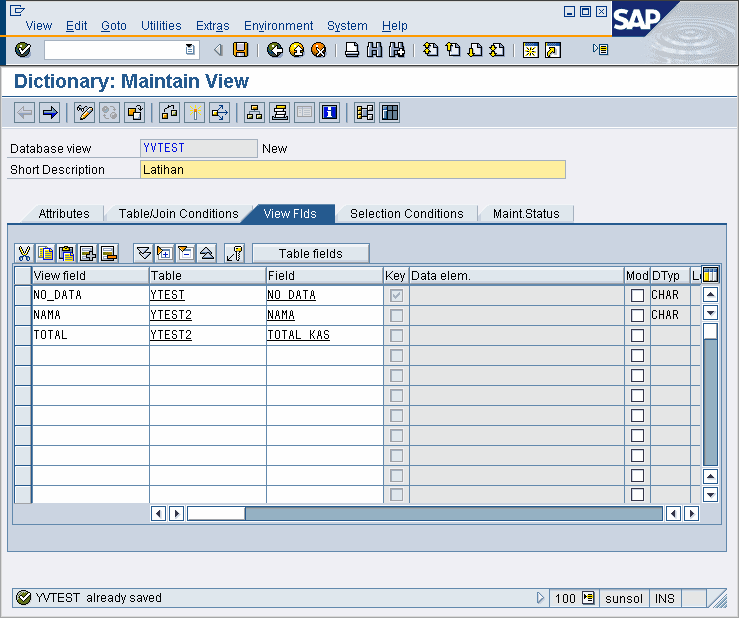
8. Activate field View Flds. Then fill the coloums like below.
9. Click Button 
10. Package is filled to make Transportable View into other client, but you don't need to fill it if practice only.
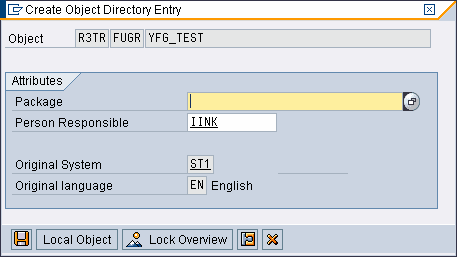
11. Click button to make Transportable View into other client. Click button  for practice only.
12. Click Button  to activate View