If the computer is connected to local network, then follow this step :
1.Configure the IP address for Portable IDES
2.Run IDES
3.Open Run menu. Start Windows > Run
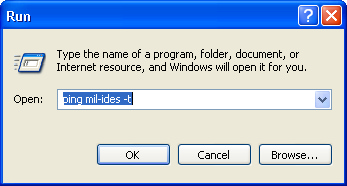
4.Enter "ping mil-ides -t" , then press " " button
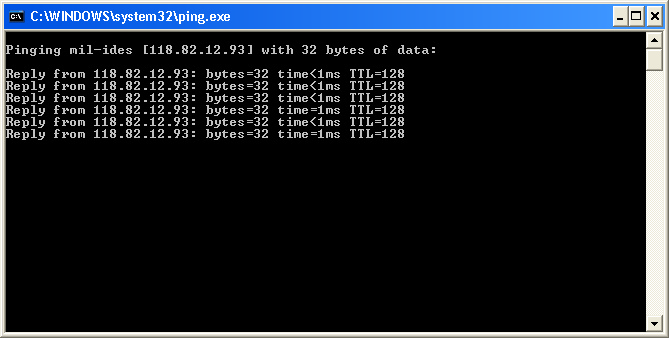
5.If the text at console not wrote "Request Time Out", then your IDES has connected to local network
6.Run SAP GUI, then add new Item like this bellow
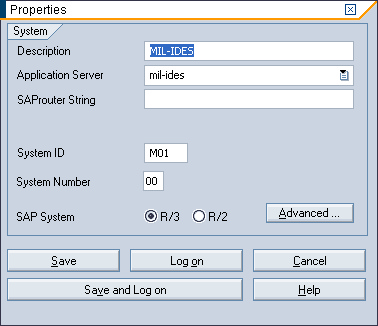
7.Click " ", wait a second until the Scree login is appear
8.Enter user and password
Client : 800
User : SAP*
Password : 06071992
Notes: user and password must fill with your own user
9.Finished. Now you have succeed to configure and run a Portable IDES 4.7x200 at your network.