Objective |
Function Module Exits |
Transaction code |
CMOD - Project Management of SAP Enhancements |
Support |
Within these pages will be exemplified how to insert Code on a program that has the SAP Customer exits with type of the "Function Module exits", examples of t-Code that used are "BC425_18".
1. Open t-Code CMOD
2. Insert project name "ZCBC1801" and Click Create.
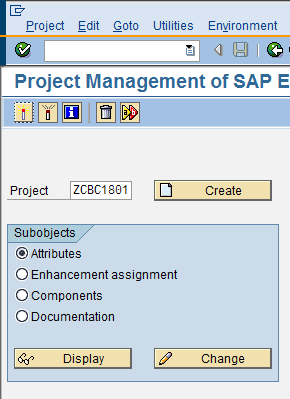
3. Type the short text

4. Click "save" then press the button "Enhancement Assignments"
5. Insert Enhancement from Object that has been found on SMOD, that is "SBC18E01"

*Object "SBC18E01" is sought with use "Find Customer Exits" technique
6. Click "save" then press the button "Components"

7. Double Click "EXIT_SAPBC425_FLIGHT18_001"

8. Double Click include "ZXBC425G18U01" then press Enter
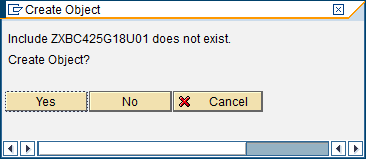
9. Press the button "Yes" and save in Local Object or Development Class accordance with the requirements
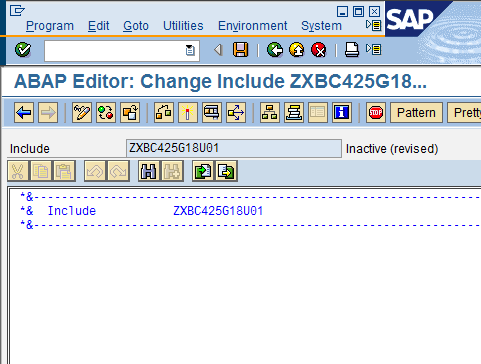
10. As simple check then write syntax message box
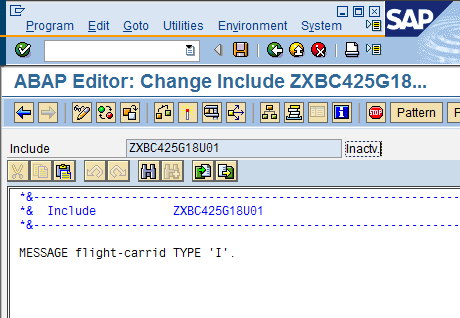
*FLIGHT is import variable that available in function module "EXIT_SAPBC425_FLIGHT18_001"
11. Activate Program
12. Then press the button "Back" twice for back to the screen as below
13. Click "Display/Change" then press the button "Activate"
14. Then test using t-Code "BC425_18"
- Open t-Code SE16
- Press the button "Create Entires"
- Save |


15. Insert the value as bellow then press enter or press the button "Display"
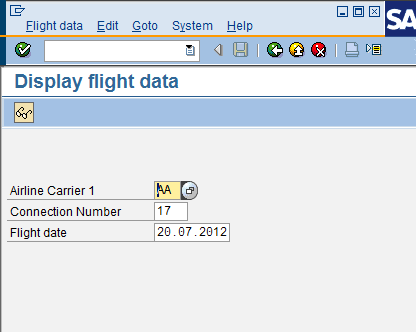
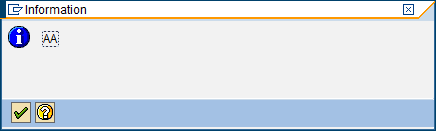
16. If message box appears as bellow then Function Module Exits has been successfully created.
17. Finish
Notes : If not appear then do step 5 with another object that has been found