Objective |
|
Transaction Code |
|
Support |
1.Open SE38
2.Copy Program "YPRACTICE_DIALOG_101" to "YPRACTICE_DIALOG_103"
3.Select All Object
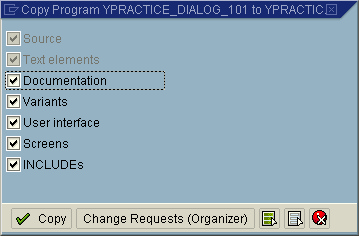
4.Change Program "YPRACTICE_DIALOG_103"
5.Open Goto > Attributes, and change Title with "103 - Table Control"
6.Modified Report Declaration
Before
REPORT ypractice_dialog_101 .
After
REPORT ypractice_dialog_103 .
7.Modified ""
Before
*----------------------------------------------------------------------*
*GLOBAL VARIABLE DECRALATION
*----------------------------------------------------------------------*
DATA : ok_code LIKE sy-ucomm,
save_ok LIKE sy-ucomm.
DATA : gv_message1(100),
gv_message2(100).
*----------------------------------------------------------------------*
After
*----------------------------------------------------------------------*
*GLOBAL VARIABLE DECRALATION
*----------------------------------------------------------------------*
TYPES: BEGIN OF ty_header,
matkl LIKE mara-matkl, " Material Group
matnr LIKE mara-matnr, " Material Number
maktx LIKE makt-maktx, " Material Description
bismt LIKE mara-bismt, " Old material number
meins LIKE mara-meins, " Base Unit of Measure
mseht LIKE t006a-mseht, " Unit of Measurement Text
Cek,
END OF ty_header.
* Or You can using this code bellow
*TYPES: BEGIN OF ty_header.
* INCLUDE STRUCTURE yta_header_101.
*TYPES: cek,
* END OF ty_header.
* Deklarasi Internal Table
DATA: gi_header TYPE STANDARD TABLE OF ty_header WITH HEADER LINE,
gi_makt LIKE STANDARD TABLE OF makt WITH HEADER LINE,
gi_t006a LIKE STANDARD TABLE OF t006a WITH HEADER LINE.
DATA: gv_matkl LIKE mara-matkl.
DATA : ok_code LIKE sy-ucomm,
save_ok LIKE sy-ucomm.
DATA : gv_message1(100),
gv_message2(100).
*----------------------------------------------------------------------*
8.Click " " and click "
 "
"
9.Select "REPS", "CUAD" and "DYNP"
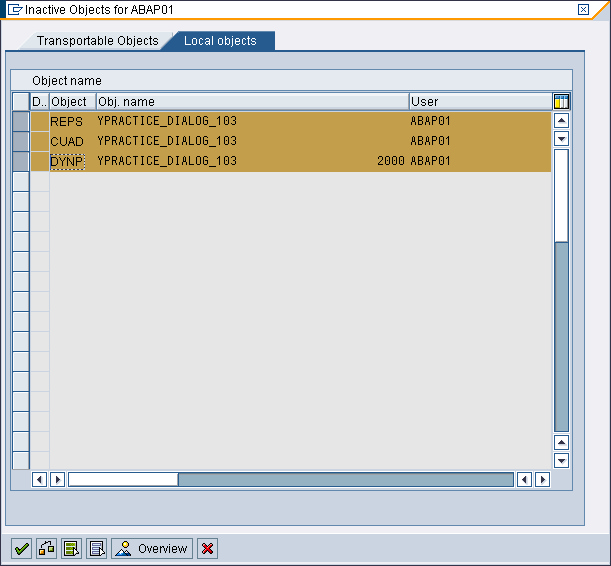
10.Click " " to activate the program
11.Click " "
"
12.Double click " " to open screen 2000
13.Click " " to start design layout (Screen Painter)
14.Click " " and then click to screen
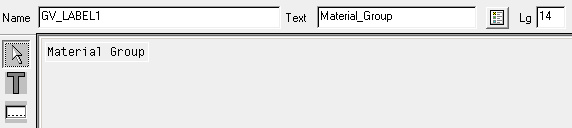
15.Set Label (Text Field) Name with "GV_LABEL1" and Text with "Material Group." like this bellow
16.Click " " and then click to screen
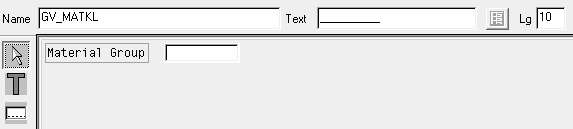
17.Set TextBox (Input/Output Field) name with "GV_MATKL" with length "10" like this bellow
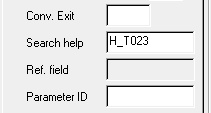
18.Double Click " " and set Search help with "H_T023"
19.After that the TextBox changed to " "
"
20.Click " " and then click to screen
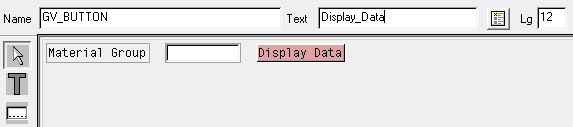
21.Set Button (PushButton) name with "GV_BUTTON" like this bellow
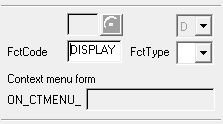
22.Double click " " and set Function Code with "DISPLAY"
23.After that the button color changed to gray like this " "
"
24.Click "" to save the screen
25.Click " " and drag it at screen painter
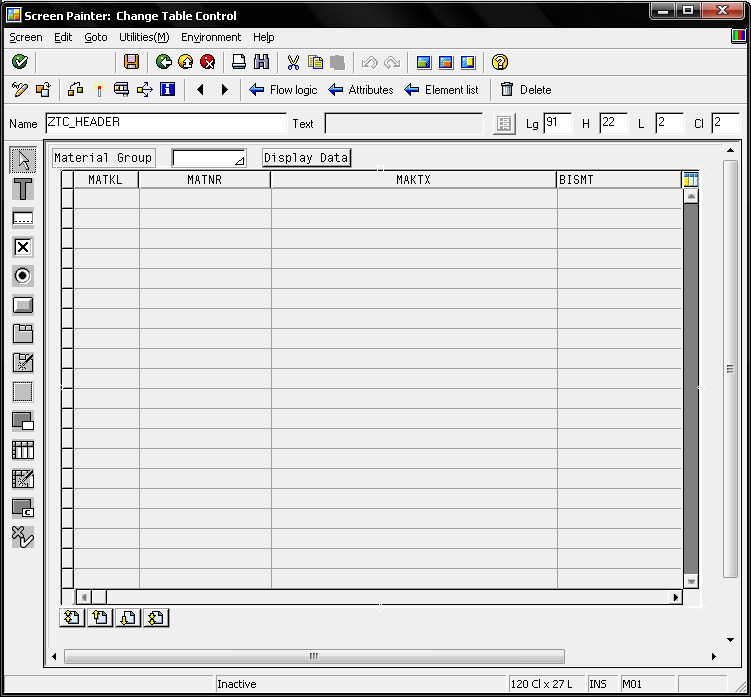
26.After than Table Control Wizard will be run
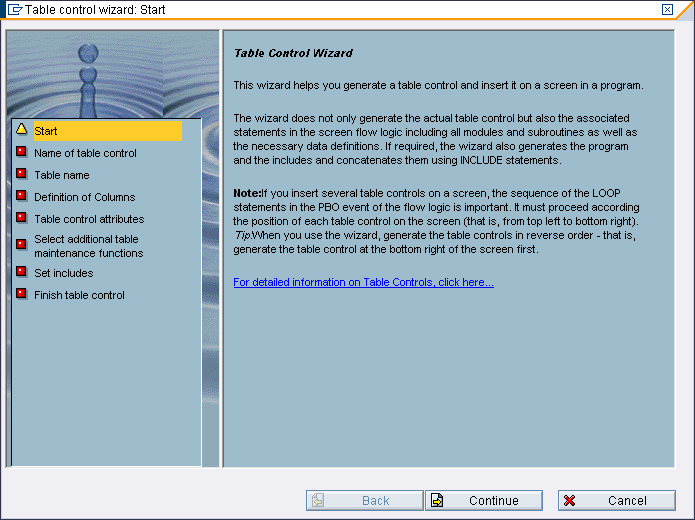
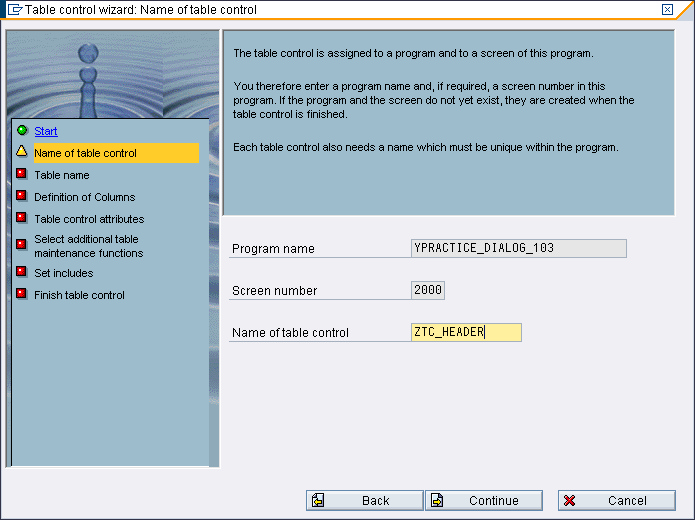
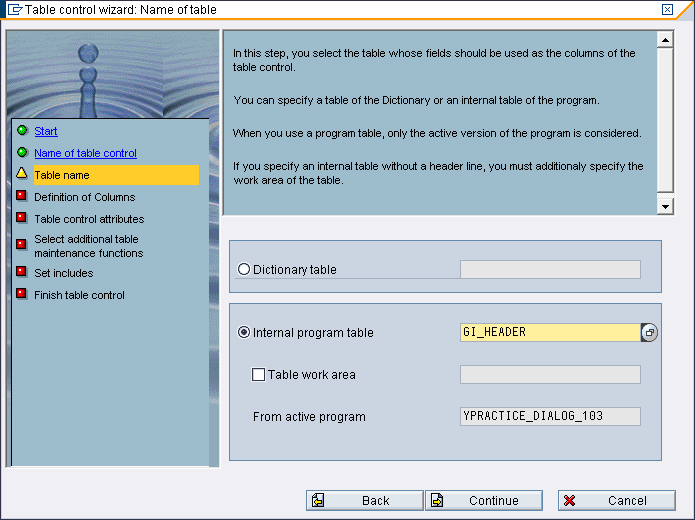
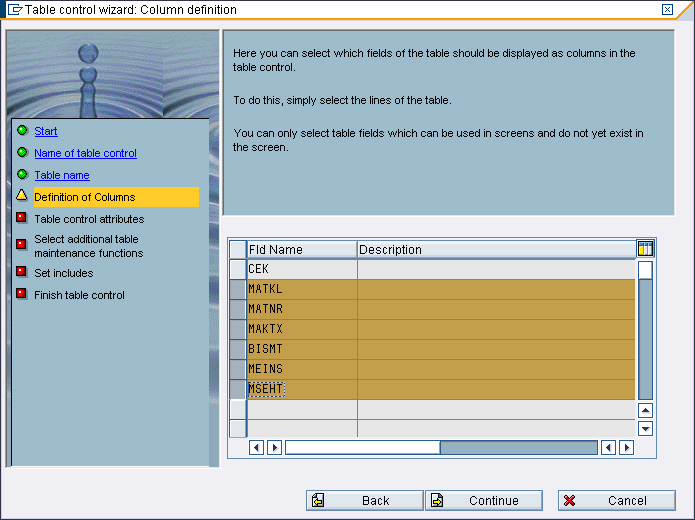
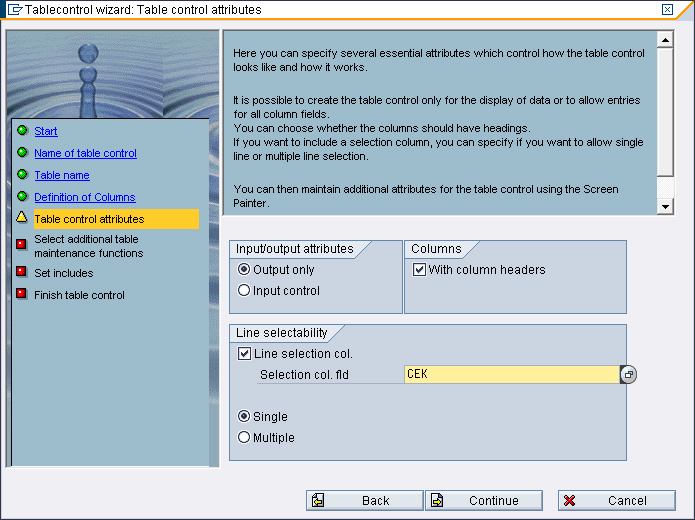
27.Click " " Followed this steps bellow
▪Fill Name of table control with "ZTC_HEADER" and then click "
▪Select "Internal program table" and fill it with "GI_HEADER" and then click "
▪Select Field like this bellow and then click "
▪Checklist "List selection col" and fill it with "CEK" like this bellow and then click "
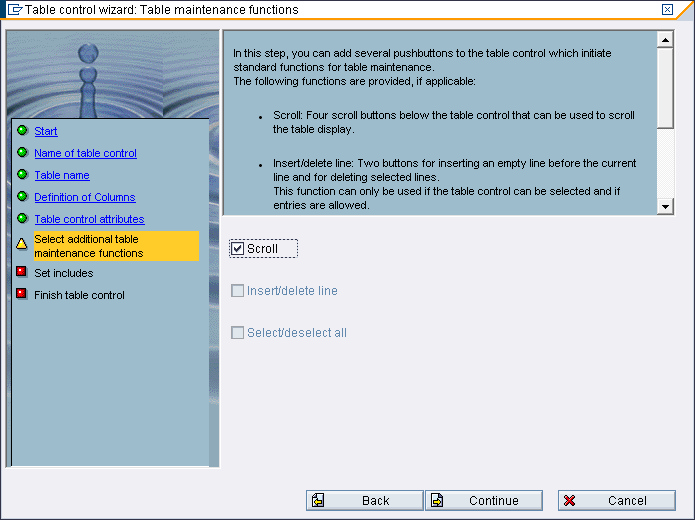
▪Checklist "Scroll" and then click "
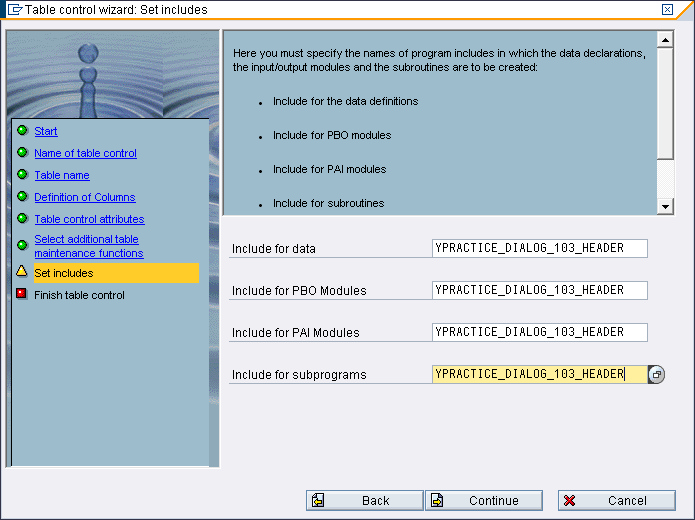
▪Fill all Text Box with "YPRACTICE_DIALOG_103_HEADER" and then click "
▪Click " |

|
28.Click "" to save the screen and then close the screen painter
29.Back to source code
30.Modified module "USER_COMMAND_2000 input"
Before
*&---------------------------------------------------------------------*
*& Module USER_COMMAND_2000 INPUT
*&---------------------------------------------------------------------*
* text
*----------------------------------------------------------------------*
module USER_COMMAND_2000 input.
save_ok = ok_code.
CLEAR ok_code.
CASE save_ok.
WHEN 'BACK'.
LEAVE TO SCREEN 0.
WHEN OTHERS.
ENDCASE.
CLEAR ok_code.
endmodule. " USER_COMMAND_2000 INPUT
After
*&---------------------------------------------------------------------*
*& Module USER_COMMAND_2000 INPUT
*&---------------------------------------------------------------------*
* text
*----------------------------------------------------------------------*
MODULE user_command_2000 INPUT.
save_ok = ok_code.
CLEAR ok_code.
CASE save_ok.
WHEN 'BACK'.
LEAVE TO SCREEN 0.
WHEN 'DISPLAY'.
CALL FUNCTION 'YFM_RFC_PRACTICE_101'
EXPORTING
gv_matkl = gv_matkl
* GV_MATNR =
gv_max_row = 0
TABLES
gi_header = gi_header
.
WHEN OTHERS.
ENDCASE.
CLEAR ok_code.
ENDMODULE. " USER_COMMAND_2000 INPUT
31.Click "" and click ""
32.Select "REPS", "REPS" and "DYNP"
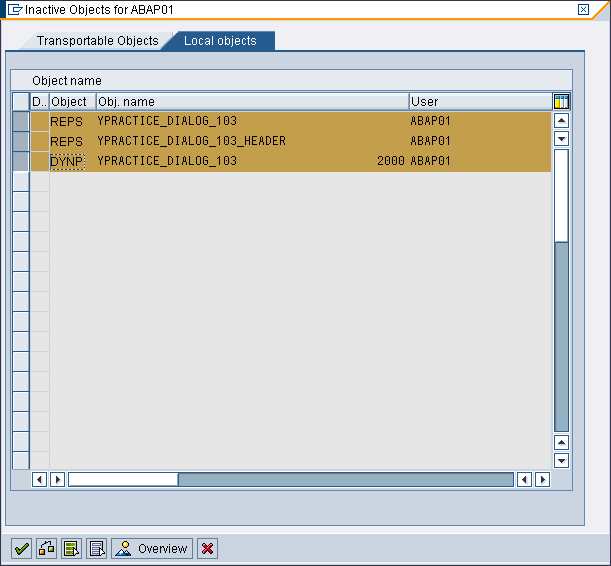
33.Click "" to activate the program
34.Test and Run program
36.Finished
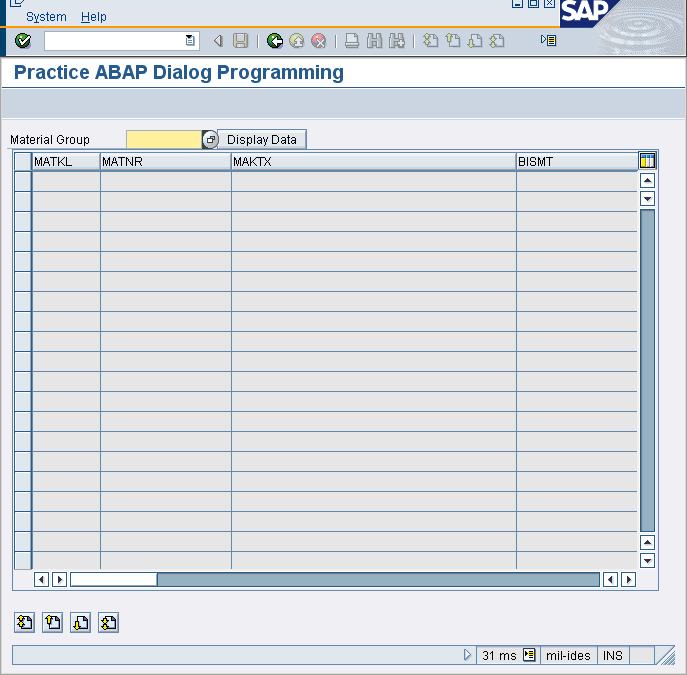
▪Screen 2000
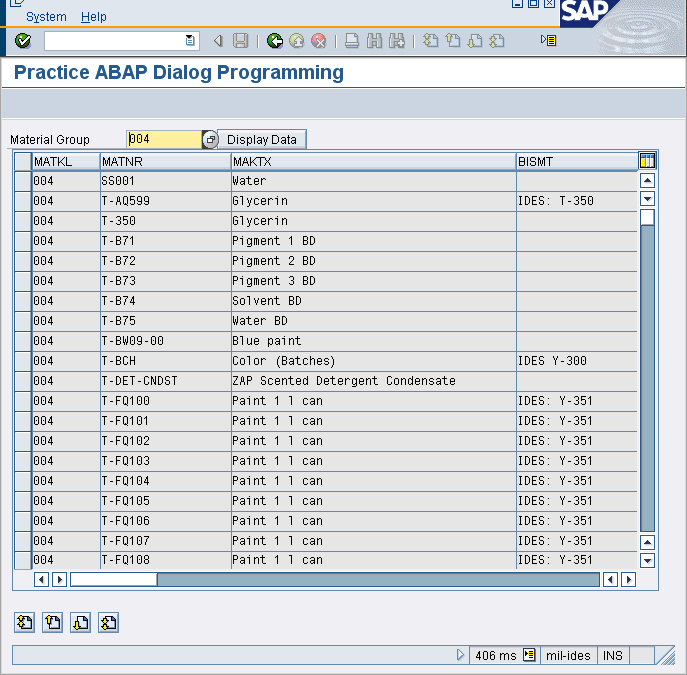
▪After button "Display" clicked
PROCESS BEFORE OUTPUT. *&spwizard: pbo flow logic for tablecontrol 'ZTC_HEADER' module ZTC_HEADER_change_tc_attr. *&spwizard: module ZTC_HEADER_change_col_attr. loop at GI_HEADER with control ZTC_HEADER cursor ZTC_HEADER-current_line. module ZTC_HEADER_get_lines. *&spwizard: module ZTC_HEADER_change_field_attr endloop.
MODULE STATUS_2000. * PROCESS AFTER INPUT. *&spwizard: pai flow logic for tablecontrol 'ZTC_HEADER' loop at GI_HEADER. chain. field GI_HEADER-MATKL. field GI_HEADER-MATNR. field GI_HEADER-MAKTX. field GI_HEADER-BISMT. field GI_HEADER-MEINS. field GI_HEADER-MSEHT. endchain. field GI_HEADER-CEK module ZTC_HEADER_mark on request. endloop. module ZTC_HEADER_user_command. *&spwizard: module ZTC_HEADER_change_tc_attr. *&spwizard: module ZTC_HEADER_change_col_attr.
MODULE USER_COMMAND_2000. |