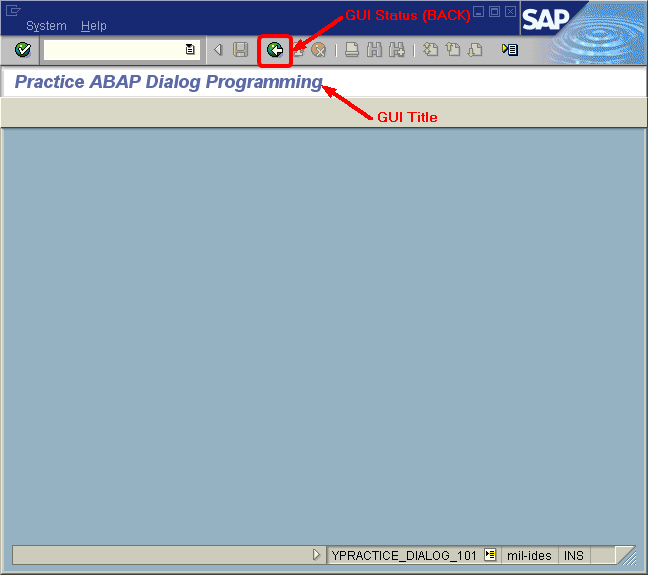
Objective |
|
Transaction Code |
|
Support |
Program Name : YPRACTICE_DIALOG_101
Title : 101 - Create GUI Status and Title
2.Write code for variable declaration
*----------------------------------------------------------------------*
*GLOBAL VARIABLE DECRALATION
*----------------------------------------------------------------------*
DATA : ok_code LIKE sy-ucomm,
save_ok LIKE sy-ucomm.
3.Click " " to save the program
4.Add New Screen 2000
▪Click " ▪Right click on Object Tree, and select "Screen"
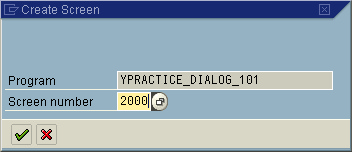
▪Enter screen number "2000" and then press "
Notes : avoid using Screen number "1000", because this number is used by SAP to generated default screen.
▪Fill Short description with "First Screen"
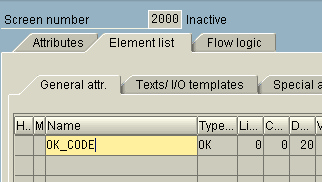
▪Click "Element List" tab ▪Fill on the blank cell with "OK_CODE"
▪Click "Flow logic" tab ▪Change the source code like this bellow Before PROCESS BEFORE OUTPUT. * MODULE STATUS_2000. * PROCESS AFTER INPUT. * MODULE USER_COMMAND_2000.
After PROCESS BEFORE OUTPUT. MODULE STATUS_2000. * PROCESS AFTER INPUT. MODULE USER_COMMAND_2000.
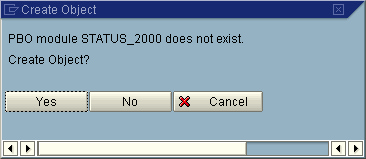
▪Click " ▪Double click on text "STATUS_2000"
▪Click " ▪Select "YPRACTICE_DIALOG_101" and Click "
▪Automatically this source cobe is written by SAP. *&---------------------------------------------------------------------* *& Module STATUS_2000 OUTPUT *&---------------------------------------------------------------------* * text *----------------------------------------------------------------------* module STATUS_2000 output. * SET PF-STATUS 'xxxxxxxx'. * SET TITLEBAR 'xxx'.
endmodule. " STATUS_2000 OUTPUT
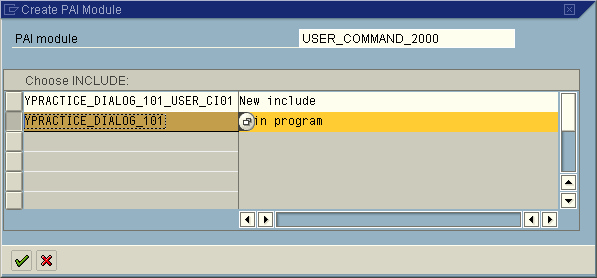
▪Double click " ▪Click "Flow logic" tab ▪Double click on text "USER_COMMAND_2000"
▪Click " ▪Select "YPRACTICE_DIALOG_101" and Click "
▪Select "YPRACTICE_DIALOG_101" and Click " ▪Automatically this source code is written by SAP. *&---------------------------------------------------------------------* *& Module USER_COMMAND_2000 INPUT *&---------------------------------------------------------------------* * text *----------------------------------------------------------------------* module USER_COMMAND_2000 input.
endmodule. " USER_COMMAND_2000 INPUT ▪Click " |
 " to show all object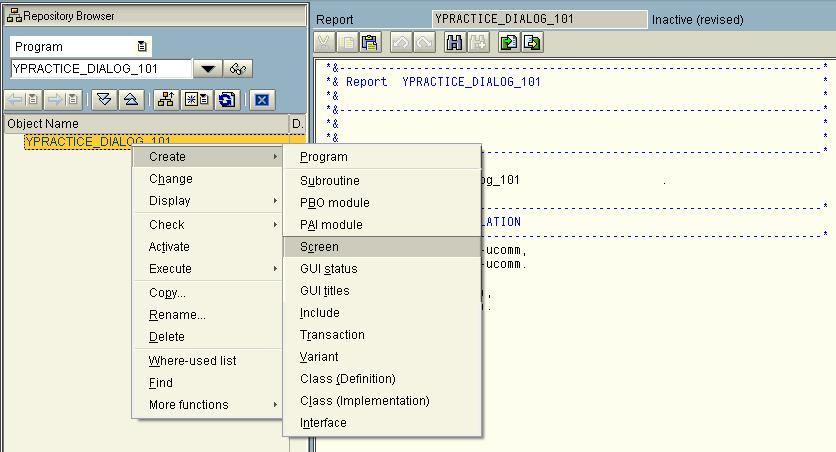

 " button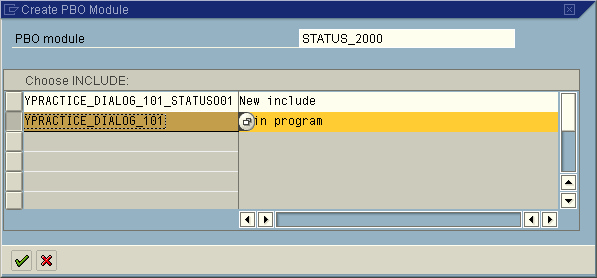
 " to open screen 2000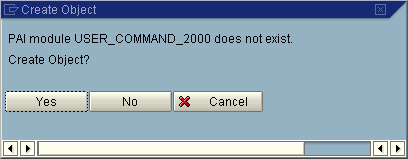
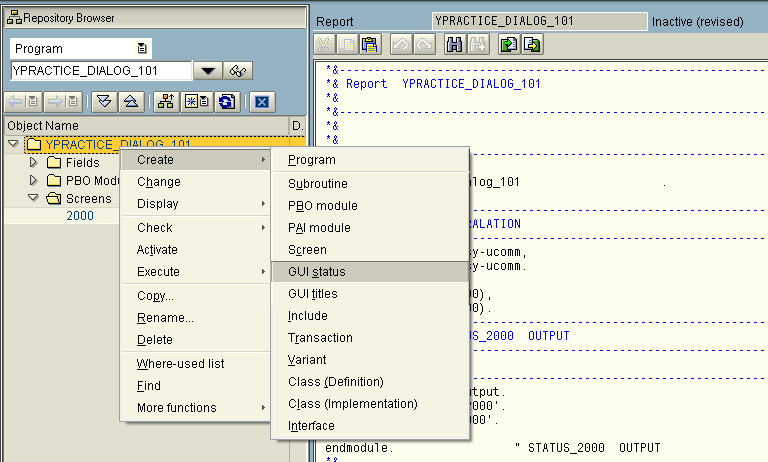
5.Add new GUI Status for Screen 2000
▪Right Click on Object Tree
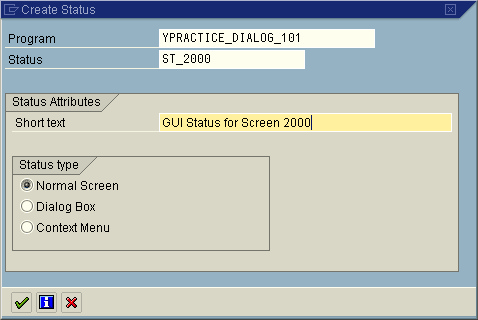
▪Fill Status with "ST_2000" and Short Text with "GUI Status for Screen 2000"
▪Click " ▪Open Function Key ▪Choose Standard Toolbar and enter BACK on icon number 3 from the left
▪Click " ▪Double click " |

 " and back to Source Code
6.Modified module "STATUS_2000 output"
Before
*&---------------------------------------------------------------------*
*& Module STATUS_2000 OUTPUT
*&---------------------------------------------------------------------*
* text
*----------------------------------------------------------------------*
module STATUS_2000 output.
* SET PF-STATUS 'xxxxxxxx'.
* SET TITLEBAR 'xxx'.
endmodule. " STATUS_2000 OUTPUT
After
*&---------------------------------------------------------------------*
*& Module STATUS_2000 OUTPUT
*&---------------------------------------------------------------------*
* text
*----------------------------------------------------------------------*
module STATUS_2000 output.
SET PF-STATUS 'ST_2000'.
* SET TITLEBAR 'xxx'.
endmodule. " STATUS_2000 OUTPUT
7.Click "" to save the program
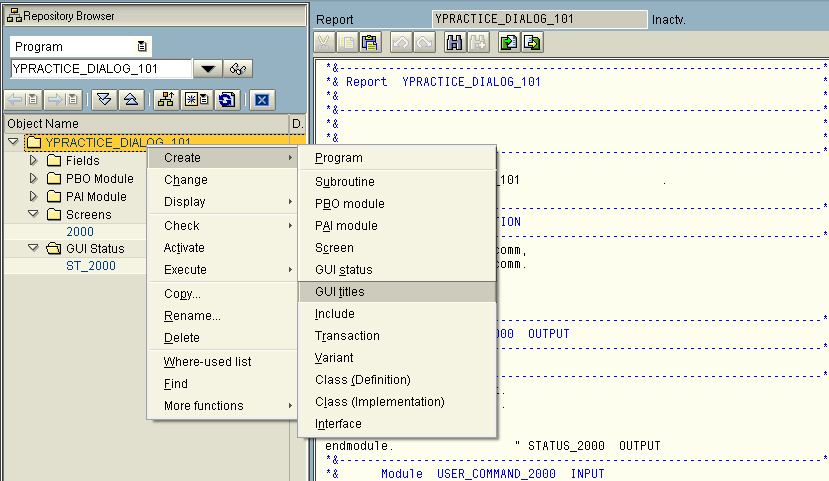
8.Add new GUI Title for Screen 2000
▪Right Click on Object Tree
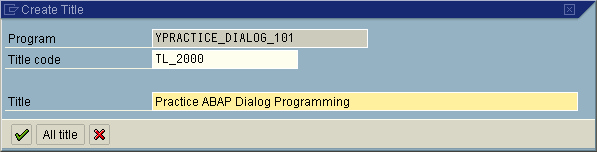
▪Fill Title Code with "TL_2000" and Title with "Practice ABAP Dialog Programming"
▪Click " ▪Click " ▪Double click " |
9.Modified module "STATUS_2000 output"
Before
*&---------------------------------------------------------------------*
*& Module STATUS_2000 OUTPUT
*&---------------------------------------------------------------------*
* text
*----------------------------------------------------------------------*
module STATUS_2000 output.
* SET PF-STATUS 'xxxxxxxx'.
* SET TITLEBAR 'xxx'.
endmodule. " STATUS_2000 OUTPUT
After
*&---------------------------------------------------------------------*
*& Module STATUS_2000 OUTPUT
*&---------------------------------------------------------------------*
* text
*----------------------------------------------------------------------*
module STATUS_2000 output.
SET PF-STATUS 'ST_2000'.
SET TITLEBAR 'TL_2000'.
endmodule. " STATUS_2000 OUTPUT
10.Modified module "USER_COMMAND_2000 input"
Before
*&---------------------------------------------------------------------*
*& Module USER_COMMAND_2000 INPUT
*&---------------------------------------------------------------------*
* text
*----------------------------------------------------------------------*
module USER_COMMAND_2000 input.
endmodule. " USER_COMMAND_2000 INPUT
After
*&---------------------------------------------------------------------*
*& Module USER_COMMAND_2000 INPUT
*&---------------------------------------------------------------------*
* text
*----------------------------------------------------------------------*
MODULE user_command_2000 INPUT.
save_ok = ok_code.
CLEAR ok_code.
CASE save_ok.
WHEN 'BACK'.
LEAVE TO SCREEN 0.
WHEN OTHERS.
ENDCASE.
CLEAR ok_code.
ENDMODULE. " USER_COMMAND_2000 INPUT
11.Add source code to set first screen to displayed.
...
DATA : ok_code LIKE sy-ucomm,
save_ok LIKE sy-ucomm.
*----------------------------------------------------------------------*
*Set First Screen to Displayed
*----------------------------------------------------------------------*
call screen 2000.
*&---------------------------------------------------------------------*
*& Module STATUS_2000 OUTPUT
*&---------------------------------------------------------------------*
* text
*----------------------------------------------------------------------*
module STATUS_2000 output.
...
12.Click "" and click " "
"
13.Select "REPS", "CUAD" and "DYNP"
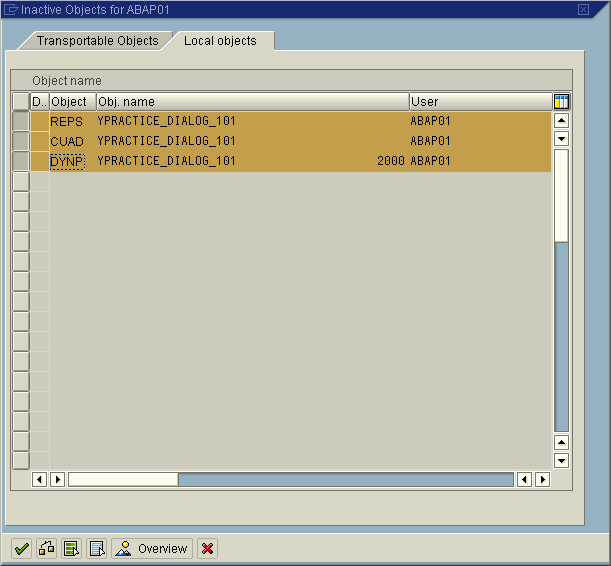
14.Click " " to activate the program
15.Test and Run program
17.Finished
▪Screen 2000